Tell us what happened.
We’ll put it in order.
TellYourCase turns your story and your files into a timeline, the people involved and a brief where every sentence shows its source. You check every fact.
- An organizer, not legal advice
- Private. Delete anything, any time
Free to try, no account needed. By sending, you agree to the Terms and Privacy policy. TellYourCase organizes your case; it doesn't give legal advice.
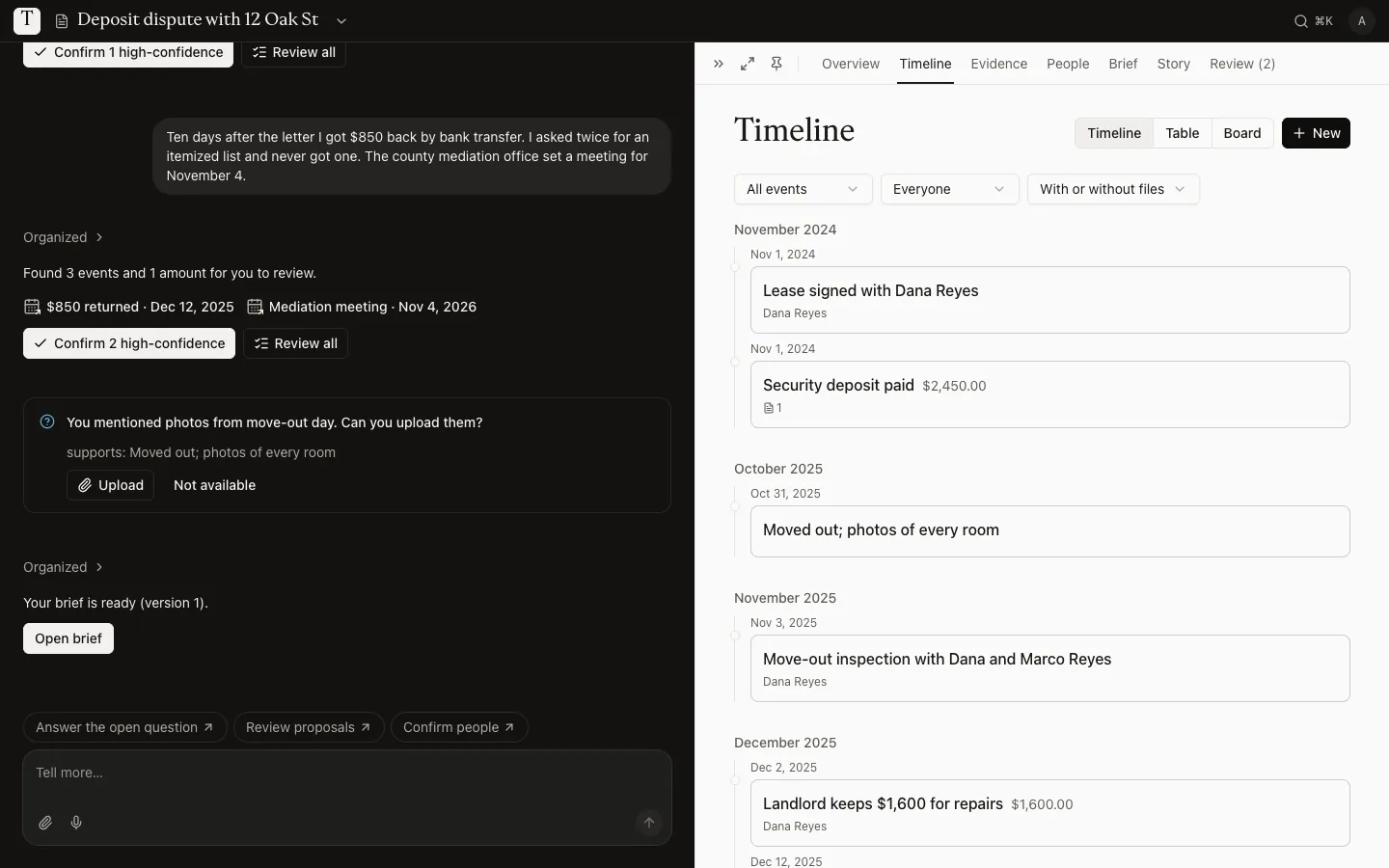
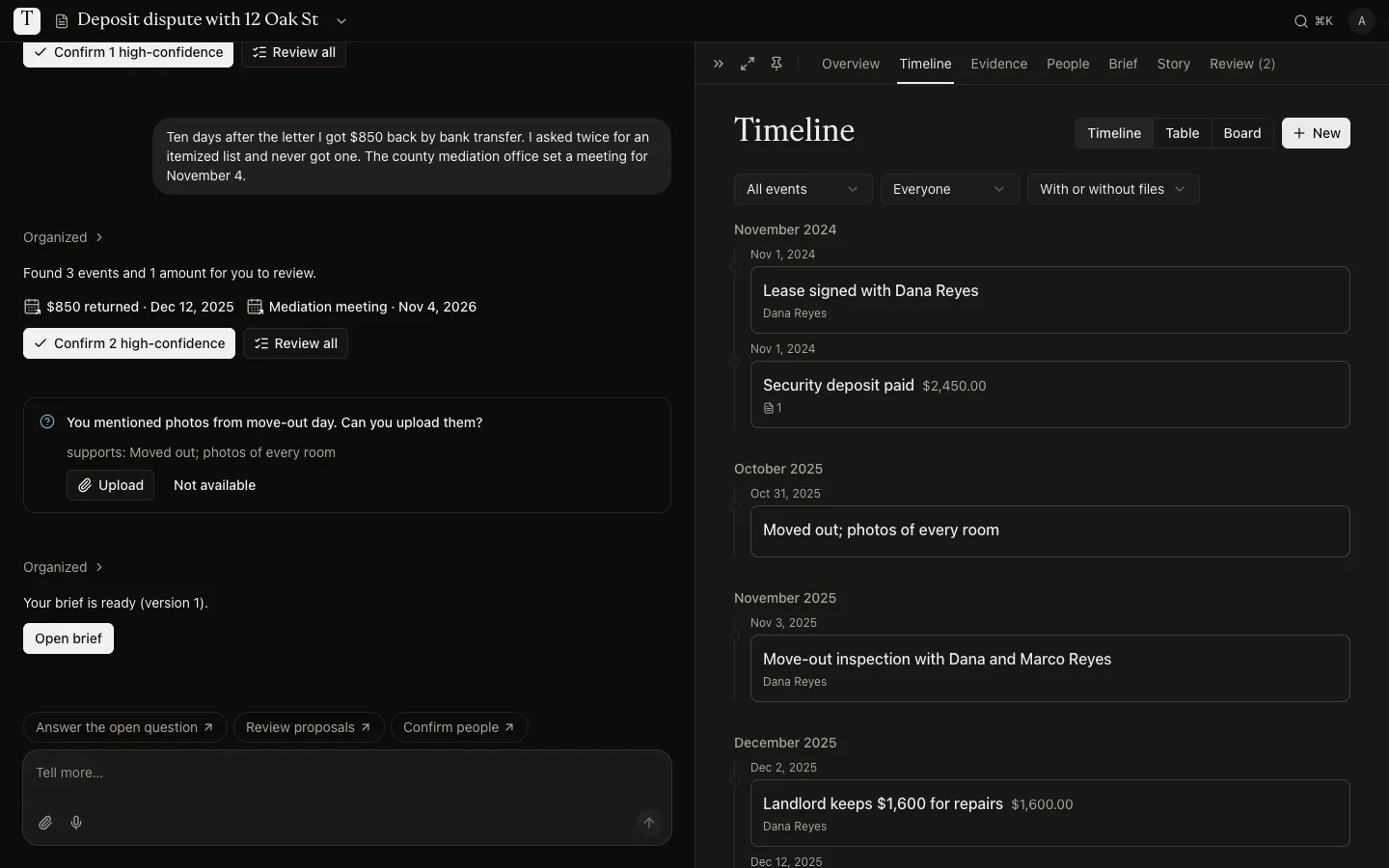
Your conversation on the left. Your case, organized, on the right.
Example case: a security deposit dispute
What it helps with
For disputes you’re handling on your own.
Problem with my landlord or tenant
The lease, rent, deposit, repair requests and notices, in date order.
A contractor didn't finish or did bad work
The estimate, payments, promised dates and the messages about delays.
A company or person owes me money
What was agreed, what was paid, receipts and the replies you got.
I wasn't paid or was treated unfairly at work
Pay stubs, schedules, emails with managers and complaints to HR, on one timeline.
An insurance claim was denied or underpaid
The policy, claim number, adjuster emails, offers and denial letters, with their dates.
How it works
From a long story to a case you can hand over.
Most people arrive with a story in their head and a folder of screenshots. You don’t need to sort anything first.
- 1
Tell it your way
Write or speak in any order. Add the lease, invoices, texts, emails and photos. Nothing has to be perfect.
- 2
Check what we found
We pick out dates, people and amounts, each with the exact words it came from. You confirm, fix or reject every item.
- 3
Get a cited brief
A clear summary with the timeline, the money involved and open questions. Export it as PDF or Word for a lawyer or advisor.
Sources
Every sentence shows where it came from.
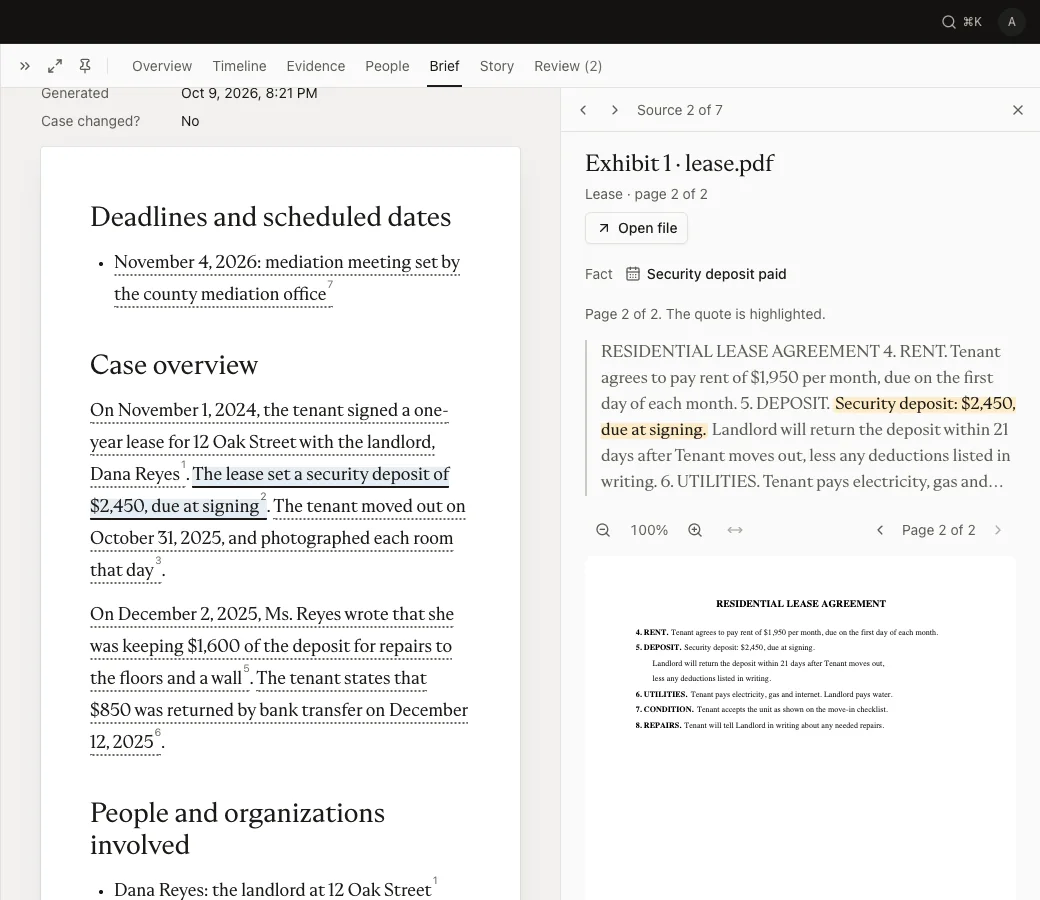
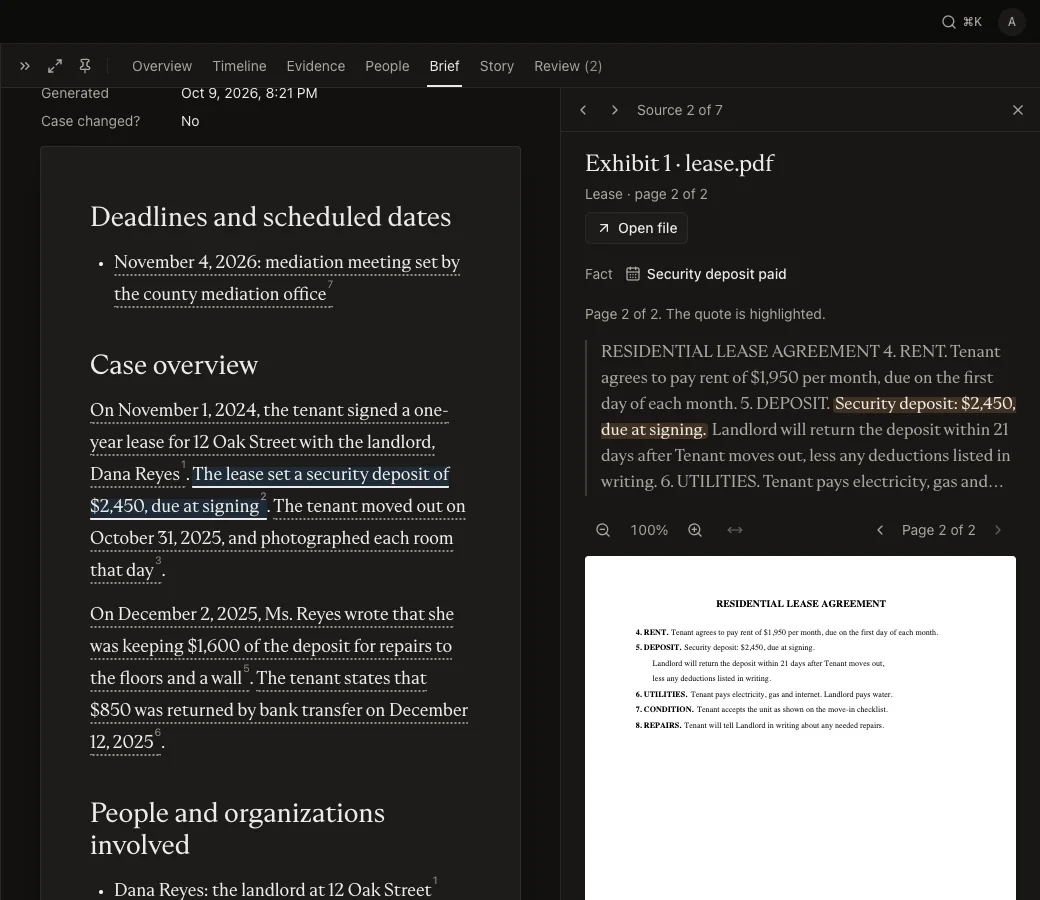
Click a line in your brief and the file opens at that page, with the words marked. The brief only uses facts you confirmed.
Case overview
On November 1, 2024, the tenant signed a one-year lease for 12 Oak Street with the landlord, Dana Reyes.1 The lease set a security deposit of $2,450, due at signing.2 On December 2, 2025, Ms. Reyes wrote that she was keeping $1,600 of the deposit for repairs.3
Prepared from the tenant’s own account and documents. Not legal advice.
4. RENT. Tenant agrees to pay $1,950 per month, due on the first day of each month.
5. DEPOSIT. Security deposit: $2,450, due at signing. Landlord will return the deposit within 21 days after Tenant moves out, less any deductions listed in writing.
6. UTILITIES. Tenant pays electricity and internet. Landlord pays water.
Our commitments
Careful with your story.
People come to us at a stressful time. These rules shape every screen and every answer the AI gives.
Not legal advice
We organize what you tell us and show where each fact came from. We don’t judge your case or tell you what to do. For advice, talk to a lawyer or a legal aid office.
Private by default
Your story and files are never public. You choose what to share, and with whom. Delete a file, a case or your account at any time.
You have the final say
The AI suggests and you decide. Suggestions stay marked until you confirm them, and only confirmed facts go into your brief.
For lawyers
Cases that arrive organized.
When someone shares their case with you, it opens on the brief. Each claim links to the page it came from, next to the timeline, the people and the exhibits.
- Read-only, shared by the client
- Claims linked to exhibits and pages
- Open only to verified lawyers
Pricing
Start free. Pay only for what you use.
You get 30 free credits when you confirm your email. Buy more when you need them. Credits never expire.
Starter
$10
100 credits
10¢ a credit
CaseEnough for most cases
$25
300 credits
8.3¢ a credit
Pro
$60
900 credits
6.7¢ a credit
What things cost
Text is charged when it’s organized and files when they’re read, at these prices. Voice notes and the brief show their price before you start. If a step fails, your credits come back.
| Organize part of your story (up to 2,000 words) | 2 credits |
|---|---|
| Read a document with text, per 20 pages | 1 credit |
| Read a screenshot or photo | 1 credit |
| Read a scanned PDF, per 10 pages | 1 credit |
| Voice note, per 5 minutes | 1 credit |
| Write the brief (your first one is free) | 10 credits |
| Download your brief: PDF, Word and case pack, once per case | 240 credits |
| Review, edit, confirm, reject and delete | Free |
Questions
Before you start.
Is this legal advice?
No. TellYourCase organizes your own account and documents. It doesn’t tell you whether you have a case or what to do. A lawyer or a legal aid office can advise you.
Do I need an account?
No. Tell your story and see it organized first. Sign up to save your case, add files and get the brief. You get 30 free credits when you confirm your email.
Who can see my case?
Only you, unless you share it. A share link, or matching if you turn it on, shows a preview card without names or files. Only lawyers we verify can open the full case, and then so can the other verified lawyers at their firm. You choose what a link includes and how long it works, and you see who opened it.
What happens when I delete something?
Deleting a file removes it, the text read from it and the suggestions made only from it; what you already confirmed stays, and a suggestion attached to it waits for your review. A file that came attached to an email is also inside that email until you delete the email. A deleted case is removed for good after 7 days, and deleting your account removes everything.
Do credits expire?
No. Unused credits stay in your account.
Start with what happened.
It takes a few minutes, and you can add to it any time.